요구사항
- 모달이 2개 이상 띄워져있을 때 가장 위의 것부터 close되게 해주세요.
기존 모달의 구조
- body에 적용된 handleKeydown 이벤트 안에서
e.key가 escape key일경우에 onClose를 해주었다. 때문에, 모달이 2개 이상 띄워져도 esc를 누르면 한꺼번에 close되고 있었다.
export const Modal = function Modal({
  open,
  onClose,
  isInterrupt,
  children,
}: ModalProps) {

    ...

  useEffect(() => {
    if (!open) {
      return
    }

    const ESCAPE_KEY = 'Escape'

    const handleKeydown = (e: KeyboardEvent): void => {
      if (onClose && e.key === ESCAPE_KEY) {
        onClose()
      }
    }

    ...

  }, [open])

    ...

  return (
    <Modal open={open}>
      <ModalRoot role="presentation">
        <ModalDim
          .....
        />
        {children}
      </ModalRoot>
    </Modal>
  )
}
1차 리팩토링
- ModalRoot에 ref를 지정해줘서, ref.current와 modals의 마지막 요소가 같지 않으면 return해주었다.
const modalRef = useRef<HTMLDivElement>(null)

useEffect(() => {
  if (!open) {
    return
  }
  const ESCAPE_KEY = 'Escape'

  const handleKeydown = (e: KeyboardEvent): void => {
    if (onClose && e.key === ESCAPE_KEY) {
      const modals = document.querySelectorAll(`[role=${MODAL_ROLE}]`)

      if (modals[modals.length-1] !== modalRef.current) {
        return
      }

      onClose()
    }
  }

  ...

}, [open])

...


return (
  <Modal open={open}>
    <ModalRoot role={MODAL_ROLE} ref={modalRef}>
      <ModalDim
          ...
      />
      {children}
    </ModalRoot>
  </Modal>
)
2차 리팩토링
- escape key를 지정해주는건 너무 메뉴얼하다. 만약에 앱도 제공한다고 가정한다면 esc는 작동되지 않을 것이다.
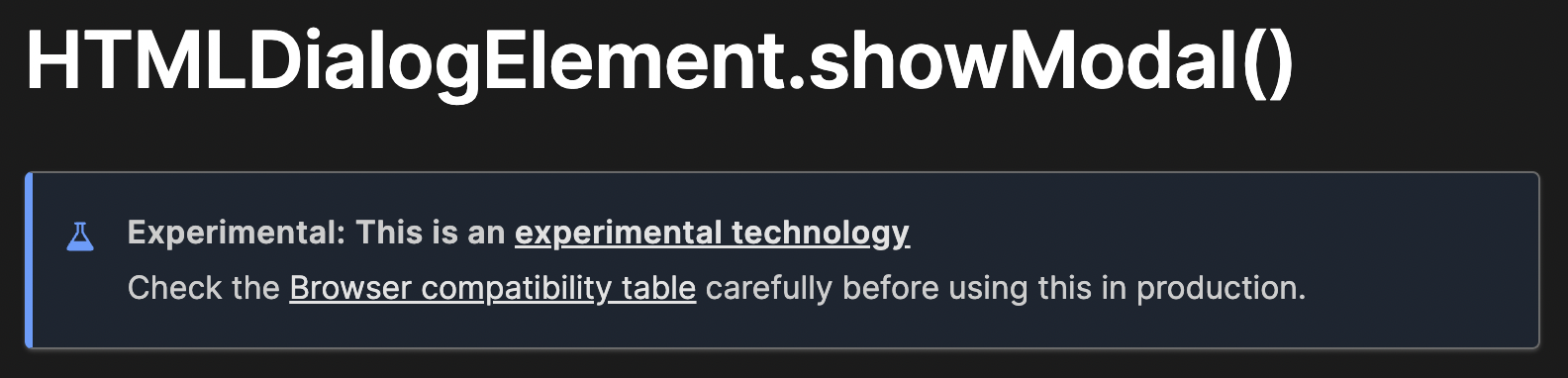
HTMLDialogElement.showModal()
https://developer.mozilla.org/en-US/docs/Web/API/HTMLDialogElement/showModal
showModal()메서드는 다른 대화 상자 위에 대화 상자를 모달로 표시합니다.
::backdrop요소 와 함께 최상위 레이어에 표시됩니다.
대화 상자 외부의 상호 작용이 차단되고 대화 상자 외부의 콘텐츠가 비활성화됩니다.
-
아직 실험적 기술이라는 HTMLDialogElement의
showModal(). 해당 메서드를 사용하게 되면 esc key를 매뉴얼하게 지정하지 않아도 이미 esc를 통해 close하는 기능이 적용되어있다. -
modal을
dialog태그로 변경하고 showModal 메서드를 사용하도록 리팩토링했다.
const modalRef = useRef<HTMLDialogElement>(null)

useEffect(() => {
  if (open) {
    modalRef.current?.showModal()
  }
}, [open])

....

return (
  <Modal open={open}>
    <ModalRoot
      role={MODAL_ROLE}
      ref={modalRef}
      onClose={(e) => {
        e.preventDefault()
        const modals = document.querySelectorAll(`[role=${MODAL_ROLE}]`)
        if (modals[modals.length-1] !== modalRef.current) {
          return
        }
        onClose?.()
      }}
    >
      <ModalDim
        ...
      />
      {children}
    </ModalRoot>
  </Modal>
)
문제상황
- 위와 같이 2차 리팩토링까지 마쳤을때 modal은 기능상으로 전혀 문제가 없었다. 하지만, jest에서 테스트가 깨졌다.
jest에서 showModal() 메서드를 아예 찾지 못하는 문제가 발생했다.
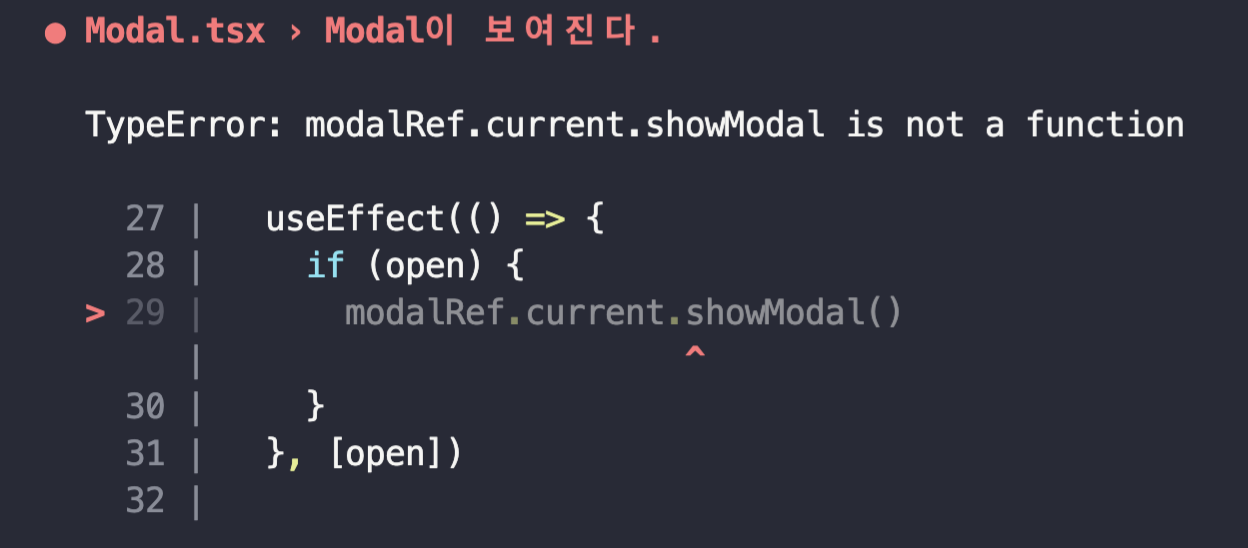
해당 문제를 해결하려고 구글링을 하다가, 나와 비슷한 문제를 겪은 사람을 발견했다.
TypeError: scrollIntoView is not a function
jest내에서 임의로 함수를 모킹해서 해결했다는 내용이였다.

그래서 모킹해줬더니,
window.HTMLDialogElement.prototype.showModal = jest.fn();
타입에러가 떴다.
삽질 결과 🪓
-
jest는 jsdom에서 돌아간다. (jsdom이 브라우저 환경인 것처럼 시뮬레이션해주는 역할)
jsdom 에서 htmldialogElement가 서포트가 안되는 게 문제의 원인이였다.. 😇 (함수를 찾을 수 없다고 뜬 이유)게다가 typescript에서도 아직까지 dialog 태그에 대한 충분한 지원이 되지 않는 것 같다. (타입 에러가 뜬 이유)
느낀 점
-
실험적 기술은 생각보다 지원이 되지 않는 라이브러리들이 많다는 걸 느꼈다..😹