javascript의 객체 복사 방법은 얕은 복사와 깊은 복사로 나뉜다.
얕은 복사 (Shallow Copy)
Object.assign
const person = { name: "aila", age: 10 };
const clonePerson = Object.assign({}, person);
clonePerson.name = "aila copy";

console.log(person); // { name: 'aila', age: 10 }
console.log(clonePerson);
Spread Operator
const person = { name: "aila", age: 10 };
const clonePerson = { ...person };
clonePerson.name = "aila copy";

console.log(person); // { name: 'aila', age: 10 }
console.log(clonePerson);
그러나 위의 두 방법은 얕은 복사 만을 지원하며, 객체 구조가 복잡해질 경우에는 깊은 복사를 해야만 한다.
const person = { profile: { name: "aila", age: 10 }, like: "computer" };
const clonePerson = { ...person };

clonePerson.profile.name = "sunny";
clonePerson.like = "book";

console.log(person); // { profile: { name: "sunny", age: 10 }, like: "computer" }
console.log(clonePerson); // { profile: { name: "sunny", age: 10 }, like: "book" }
clone의 내부 객체인 profile의 속성을 변경하는 경우, 원본도 변경된다.
clone의 내부 객체인 profile은 original의 profile과 동일한 주소를 참조하고 있기 때문이다.
깊은 복사
JSON.stringify(), JSON.parse()
객체 -> 스트링 -> 객체의 변환 과정을 거쳐 깊은 복사를 할 수 있다.
const person = { profile: { name: "aila", age: 10 }, like: "computer" };
const clonePerson = JSON.parse(JSON.stringify(person));

clonePerson.profile.name = "sunny";
clonePerson.like = "book";

console.log(person); // { profile: { name: 'aila', age: 10 }, like: "computer" }
console.log(clonePerson); // { profile: { name: "sunny", age: 10 }, like: "book" }
lodash cloneDeep
const person = { profile: { name: "aila", age: 10 }, like: "computer" };
const clonePerson = _.cloneDeep(person);

clonePerson.profile.name = "sunny";
clonePerson.like = "book";

console.log(person); // { profile: { name: "sunny", age: 10 }, like: "computer" }
console.log(clonePerson); // { profile: { name: "sunny", age: 10 }, like: "book" }
structuredClone()
const person = {
  profile: { name: "aila", age: 10 },
  like: "computer",
  date: new Date(),
};
const clonePerson = structuredClone(person);

clonePerson.profile.name = "sunny";
clonePerson.like = "book";

console.log(person); // { profile: { name: "sunny", age: 10 }, like: "computer", date: 2022-09-10T08:22:28.924Z }
console.log(clonePerson); // { profile: { name: "sunny", age: 10 }, like: "book", date: 2022-09-10T08:22:28.924Z }
다음과 같이 json메서드에서 지원하지 않는 date타입도 복사가 되고 이제 더이상 외부 라이브러리를 사용하지 않아도 된다.
그러나, structuredClone도 완벽한 것은 아니다.
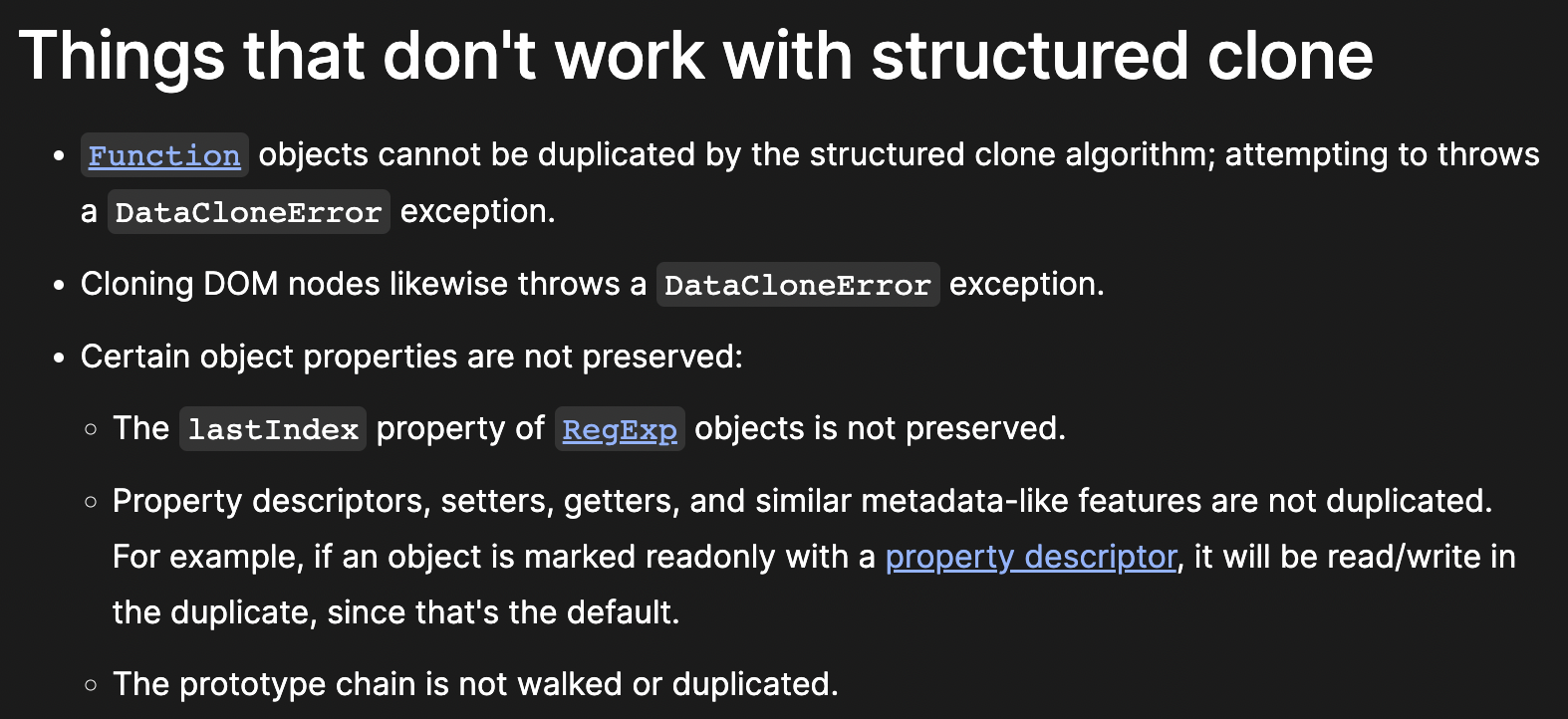
위의 문서에 따르면 일부 기능에 있어서 제한이 있다.
- Function 객체
- DOM node
- RegExp객체들의 lastIndex, Property descriptors, setters, getters, 프로토타입 체인 등
복잡한 구조의 객체 복사를 할 때 structuredClone()을 사용해보는 것도 좋겠다.